WhatsApp Automation Tools: 13 Platforms Compared
WhatsApp business automation tools are platforms built on the WhatsApp Business API that send messages from events instead of by hand: a new order, an abandoned cart, a booked appointment, a support ticket. They add a flow builder, Meta-approved templates, a shared inbox for human takeover, and integrations with your CRM or store.
Reviewed by Mahmoud Ilyan · updated
Side-by-side comparison
This page compares 13 automation platforms on the things that decide the bill and the outcome: starting price, whether the vendor marks up Meta's per-message rates, official API status, and the one feature each tool does better than the rest. Prices are indicative as of September 2026 — confirm on each vendor's pricing page.
| Tool | Best for | Starting price | Markup on Meta rates | Official API | Standout feature |
|---|---|---|---|---|---|
| WATI | All-in-one SMB automation | From ~$49/mo | Some plans | BSP | No-code chatbot builder plus shared inbox in one product |
| Respond.io | Multi-channel teams | From ~$79/mo | No | BSP | WhatsApp, Instagram, Messenger and Telegram in one AI-routed inbox |
| Zixflow | CRM + WhatsApp in one | Free plan, paid tiers | No | Official API | Built-in CRM and workflows, so no separate CRM sync |
| Twilio for WhatsApp | Developer-built automation | Pay-as-you-go | Per-message fee | BSP | Programmable API with SDKs in every major language |
| HubSpot WhatsApp | HubSpot-centric sales teams | Included with HubSpot Professional | n/a | Via partner BSP | WhatsApp threads logged on the CRM contact timeline |
| Take App | Order-taking micro-stores | Free plan, paid tiers | n/a | Official API | Catalog-to-WhatsApp-order flow with no website needed |
| DeelFlowsOur product | AI-personalized selling for stores | From $29/mo (Starter), 14-day free trial | No | BSP | AI agent that predicts buyers from store data and messages them 1:1 |
| Gallabox | CRM-integrated automation | From ~$40/mo | No | BSP | Native HubSpot and Zoho triggers for flows |
| Interakt | Shopify stores | From ~$15/mo | Some plans | BSP | Shopify-triggered cart recovery and order notifications |
| AiSensy | Campaign-driven automation | From ~$12/mo | No | BSP | Retargeting campaigns off click and reply behavior |
| Trengo | Support-led automation | From ~$99/mo | No | BSP | Rules engine that routes and auto-answers across channels |
| Manychat | Visual bot flows | Free plan, Pro from ~$15/mo | No | BSP | Drag-and-drop flows shared with Instagram and Messenger |
| SleekFlow | AI agents on customer records | From ~$149/mo | No | BSP | AI agents that read and update CRM fields mid-conversation |
“Markup on Meta rates” = whether the vendor charges above Meta’s per-message price. “BSP” = Meta Business Solution Provider. Entries marked “our product” are built by the team behind this directory — full disclosure.
All Business Automation Tools
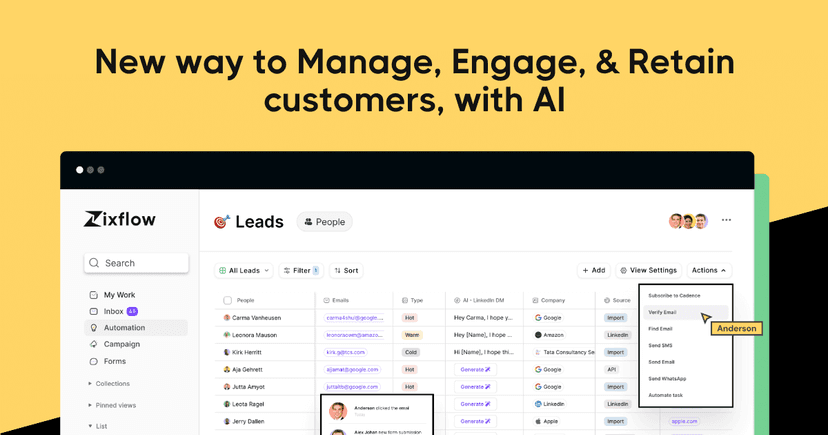
Zixflow
FeaturedComplete WhatsApp marketing platform with CRM integration, automation workflows, and personalized messaging campaigns for businesses of all sizes.
WATI.io
FeaturedWhatsApp Business Solution Provider offering team inbox, chatbot builder, and API integration with affordable subscription pricing.
Respond.io
Multi-channel customer conversation management platform with advanced WhatsApp automation workflows and CRM integration.

Twilio for WhatsApp
FeaturedEnterprise-grade programmable WhatsApp messaging with powerful APIs, global reach, and developer-friendly integration options.
HubSpot WhatsApp Integration
FeaturedCRM-powered WhatsApp integration with lead tracking, sales pipeline management, and marketing automation.
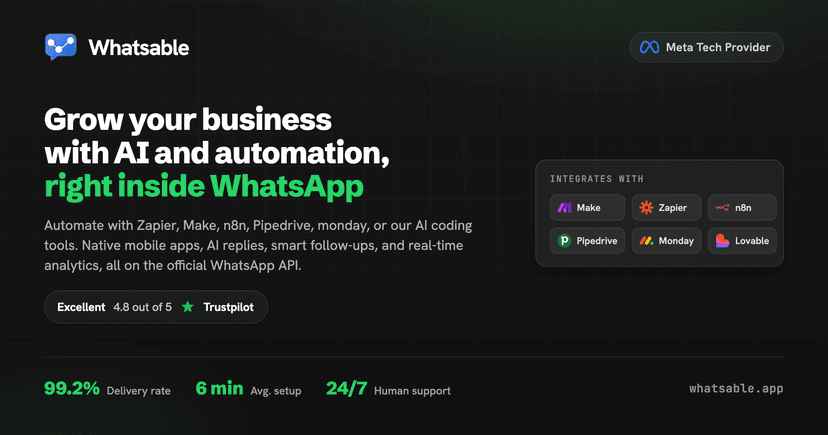

Whatsable · WhatsApp automation for business
Send WhatsApp from your own number. Keep the WhatsApp Business app with coexistence. Automate with Zapier, Make, n8n, webhooks, or the API.

Datalyse Partner OS
Datalyse Partner OS is a white-label Partner OS combining CRM, WhatsApp Business, and voice AI automation for agencies and VoIP/contact-center integrators in Mexico. Teams can refer or resell one stack under their brand. CTA: https://datalyse-partners-mx.vercel.app/
9bot
9bot automates WhatsApp groups: scheduled messages, moderation, RSS news, live alerts, analytics and AI, with an MCP server for AI agents. 7-day free trial, then US$35/month for the first 3 months, then US$70/month.


Take App - Ecommerce for WhatsApp
FeaturedCreate Ecommerce for WhatsApp. Free WhatsApp order form + All-in-one Business Software (ERP) for small businesses.
Guide to Business Automation Tools
WhatsApp business automation tools connect the WhatsApp Business API to your workflows so repetitive messaging — order updates, reminders, lead routing, follow-ups — happens without a human sending each message. The right tool turns WhatsApp from a manual inbox into a reliable, measurable channel that scales with your business.
What WhatsApp business automation tools actually do
At their core, these tools sit on top of the official WhatsApp Business API and let you trigger messages from events: a new order, an abandoned cart, a support ticket, a form submission, or a scheduled campaign. Instead of a shared phone, you get automation rules, templates approved by Meta, and a way to sync conversations with your CRM or store.
Most platforms combine four things: a no-code flow builder, a shared team inbox for human takeover, integrations with tools like Shopify, HubSpot, or Google Sheets, and analytics on delivery and replies. The differences are in depth — how flexible the flow logic is, which integrations are native, and how message pricing is handled.
How to choose the right automation tool
Match the tool to your primary job-to-be-done rather than buying the longest feature list. A store fighting cash-on-delivery returns needs COD confirmation and cart recovery; a services business needs lead qualification and appointment reminders; a support team needs routing and a shared inbox.
- Official API access — confirm it uses the WhatsApp Business API, not an unofficial workaround that risks bans.
- Integrations — native connectors to your store, CRM, and helpdesk beat brittle Zapier chains.
- Pricing transparency — check whether the tool adds a markup on top of Meta's per-message rates.
- Flow flexibility — can you branch on customer replies, not just send one-way blasts?
- Team handover — automation should pass to a human cleanly when a conversation needs it.
Common use cases
The highest-ROI automations are usually the simplest: order and shipping notifications, COD order confirmation, abandoned-cart recovery, appointment and payment reminders, and post-purchase review requests. These recover revenue or cut support load immediately, which makes them easy to justify before you move on to full conversational marketing.
Frequently Asked Questions
How does WhatsApp business automation work?
A tool connects to the WhatsApp Business API and listens for events in your CRM, store, or helpdesk: a new order, an abandoned cart, a booked slot. When one fires, it sends a Meta-approved template message, waits for the reply, and either branches the flow or hands the chat to a human in a shared inbox.
Is WhatsApp automation allowed by Meta?
Yes, through the official WhatsApp Business API with approved templates and opted-in contacts. Tools that automate the regular WhatsApp or WhatsApp Business app with a browser plugin violate the terms and get numbers banned. Every tool in this table uses the official API unless marked n/a.
How much does a WhatsApp automation tool cost?
Two parts: the subscription, from free tiers to roughly $50–150 per month for small teams, plus Meta's per-message fees, which vary by country and category. From 1 October 2026, service replies inside the 24-hour customer service window are also charged at the utility rate after the first 1,000 per phone number each month. Check the markup column: vendors that pass Meta's rates through at cost are cheaper at volume than those adding a percentage.
Which WhatsApp automation tool is best for a small business?
For a general shared inbox plus chatbot, WATI or Respond.io. For an online store, an ecommerce-native tool such as DeelFlows or Interakt, because order confirmation and cart recovery are prebuilt. For developers, Twilio. Start from the job you need automated, not the longest feature list.